Error
MyInvois Extension
Manager.io integration overview and instructionsThe MyInvois Extension is an add-on for Manager.io that enables businesses in Malaysia to comply with the LHDNM e-invoicing requirements. It covers integration, invoice/credit note submission, status updates, and taxpayer lookup via QR code.
- Ensure credentials match the selected environment (PreProduction or Production).
- Do not use real business data in PreProduction mode.
- After testing and verification, switch to Production with real data.
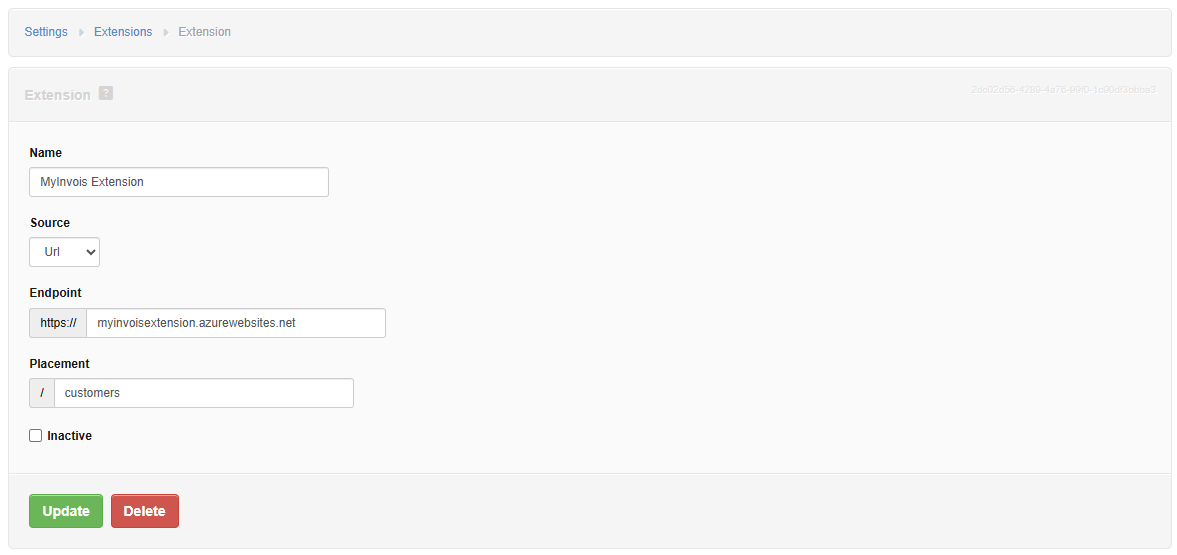
- Open Manager and go to Settings → Extensions.
- Select Create New Extension.
-
Enter the following settings:
Extension Name MyInvois-ExtensionSources UrlEndpoint https://myinvoisextension.azurewebsites.netPlacement customers,sales-invoice-view,credit-note-view, orbusiness-details - Save. The extension button will appear in the corresponding Manager view.
-
Since multi-placement is not yet supported, repeat the steps to install separate instances (customers, sales-invoice-view, credit-note-view, and optionally business-details).
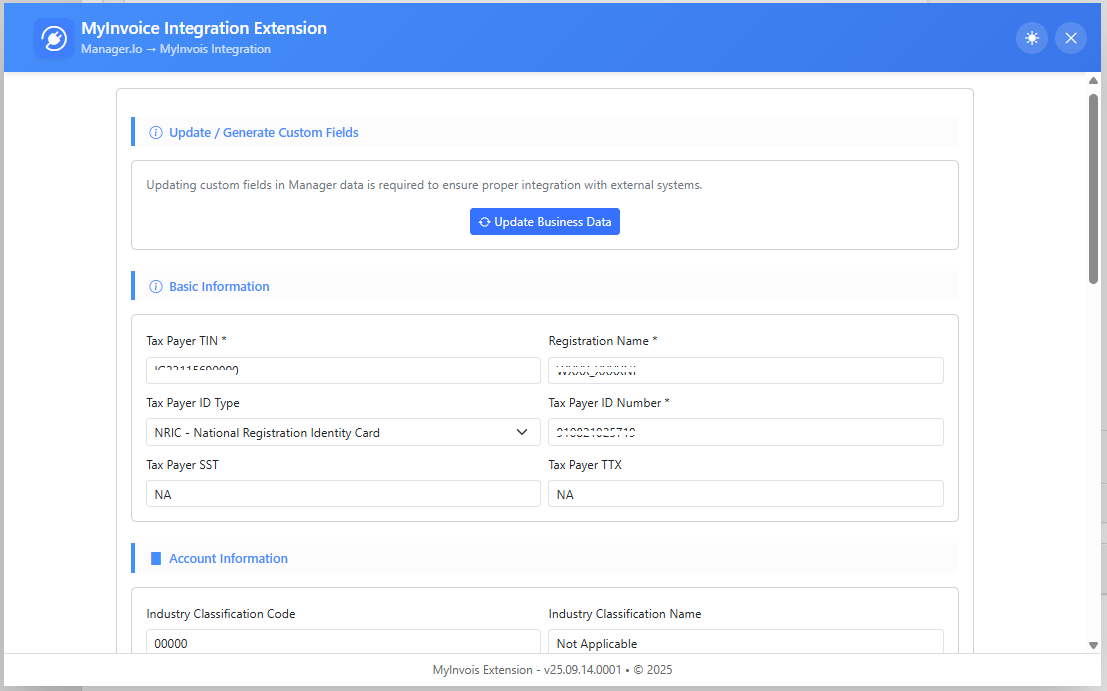
The wizard helps ensure your connection to LHDNM is complete:
- Fill in all required integration fields (business info, credentials, environment).
- Verify credentials with the LHDNM system (credentials must match with selected environment).
- Document v1.0 → no certificate required.
- Document v1.1 → valid certificate from an LHDNM-recognized provider required.
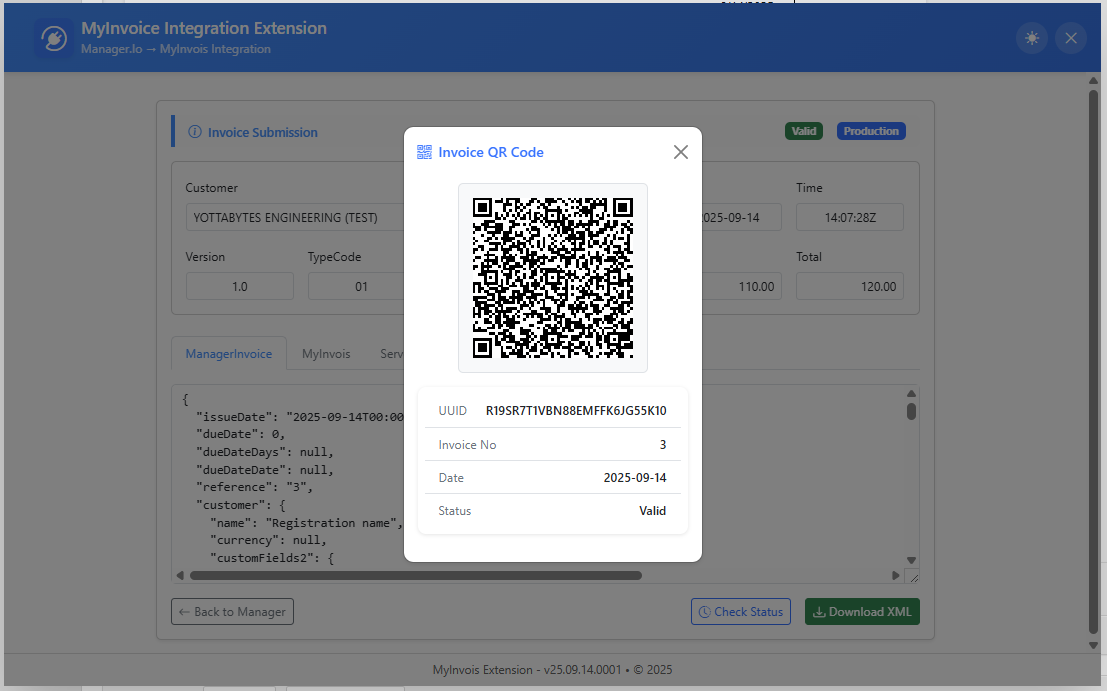
- Create a Sales Invoice or Credit Note in Manager.
- Open the document view and click the MyInvois Extension button.
- The extension converts the document into a MyInvois-compliant e-Invoice.
- Click Submit to send it to LHDNM.
- Upon success, the Submitted status will be updated in Manager.
- If there are errors, they will be displayed for correction.
- Click Check Status, to get document status from LHDNM portal.
- When document status is Valid or Cancelled, QR Code will be generated and saved to Manager Invoice.

You can verify taxpayer details using Taxpayer QR codes. Supported methods:
- Scan with camera
- Drag & drop a QR code image
- Open file from device
- Manually type the QR content
Retrieved taxpayer data can be saved as Customer Data in Manager, ensuring records are consistent with the official LHDNM database.
Need Help?
For questions or support, visit the community at forum.manager.io